Why Switch to StaticDelivr?
If your site relies on public CDN links, switching providers is one of the easiest ways to improve reliability and support open-source infrastructure.
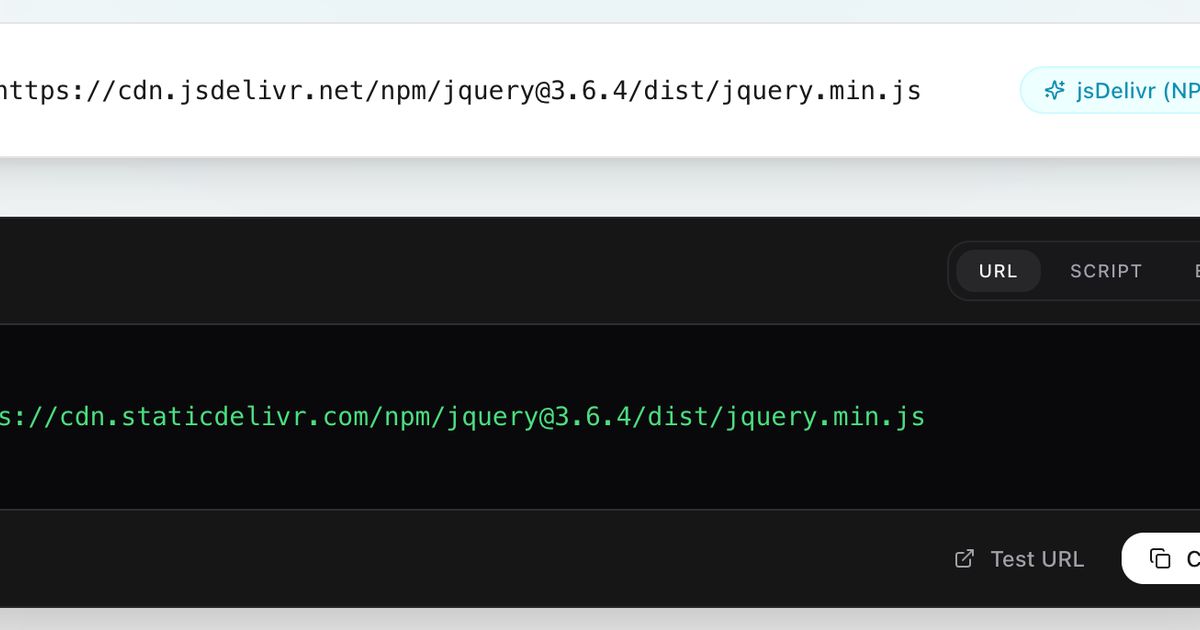
StaticDelivr is designed to be a drop-in replacement for services like jsDelivr or UNPKG. Because we use standard URL patterns, you can usually migrate your entire project just by doing a "Find and Replace" in your code editor.
If you have a lot of links to check, you can use our Migration Tool to scan your code automatically.
The URL Patterns You Need
We support loading files directly from the two biggest package sources: npm and GitHub.
1. The npm Format
If you are loading libraries like React, Vue, or Bootstrap, you are likely using npm. The StaticDelivr format is simple:
https://cdn.staticdelivr.com/npm/package@version/fileFor example, to load React, you would use:
https://cdn.staticdelivr.com/npm/[email protected]/umd/react.production.min.js
You can learn more about advanced versioning and ranges on our npm documentation page.
2. The GitHub Format
For assets hosted directly in a repository (like a style.css in a master branch), use the GitHub endpoint:
https://cdn.staticdelivr.com/gh/user/repo@version/fileThis connects directly to our GitHub CDN service, ensuring you get the raw file served with proper MIME types and global caching.
Safe Rollout Strategy
A clean migration is mostly about not breaking production. Here is the safest way to switch:
Step 1: Inventory Your Links
Search your codebase for cdn.jsdelivr.net or unpkg.com. Make a list of every external asset you are loading.
Step 2: Swap the URLs
Replace the domain name with cdn.staticdelivr.com. In 99% of cases, the rest of the path remains exactly the same.
Old:
https://cdn.jsdelivr.net/npm/...New:
https://cdn.staticdelivr.com/npm/...
Step 3: Test Staging
Load your site in a private window. Check the Console for any 404 errors. If a file fails to load, verify you aren't using a "dist-tag" (like @latest) that might have changed recently.
Common Mistakes to Avoid
Floating Versions: Avoid using
@latestin production. It is always safer to pin a specific version (e.g.,@18.2.0) so your site doesn't break when a library updates.Typos: Double-check your package names.
react-domis not the same asreactdom.
Ready to Switch?
You can view the full list of supported features in our Getting Started guide or use the Interactive Migration Tool to generate the exact links you need.